
3 Engaging Ways to Use TeachFX with Your Students
TeachFX started as a pretty simple concept: Give teachers an app that gathers data quickly and objectively, without needing any fancy equipment or additional people in the room.
But like most things in education, teachers across the country are coming up with creative and ingenious ways to use TeachFX with their students.
So, we pulled together 3 of our favorites—ideas you can borrow, steal, or adapt—to make data more fun to collect and bring your students along for the ride!
1. Use image summaries to spark a conversation with your students
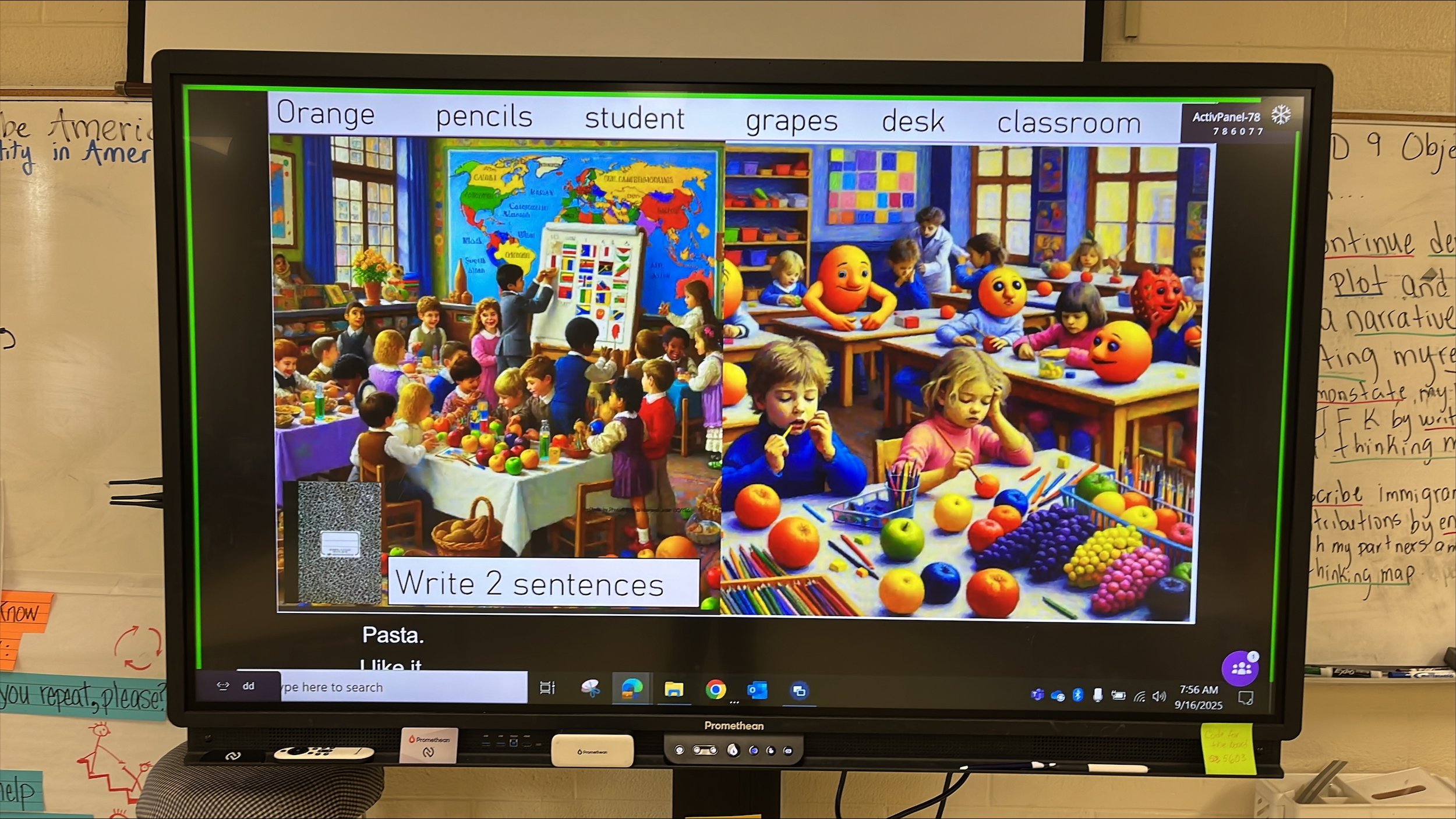
Teachers love to use TeachFX image summaries as a bell ringer, exit ticket, or to review an entire unit! If you’re short on time, you can pull up the image in a recent report and ask students what they see, notice, or wonder. For a more intentional approach, try gathering images throughout the week and see what connections your students can make when they see them all together.
“My co-teacher and I taught a class on imagery using an orange and our five senses. We used our images for a writing activity with key vocabulary from the lesson. The two different pictures are from each of our TeachFX reports from the same lesson. I just love seeing them together. ”
— Suzanne Diaz (and Maria Borrero), Glencliff High School, Metro Nashville Public Schools
2. Tell your students WHY you’re using TeachFX and ask for their help
Teachers who involve their students in reflecting can experience numerous benefits in their classroom. Students often get excited that their teachers are actively trying to improve, and they get to see a genuine model for lifelong learning.
Your students will want to engage and be part of your reflection process. You can get them involved by having them remind you to record or even picking your next focus area!
“I let my students choose what badge I was earning. I tell them, “This is a learning opportunity for Ms. Michaela. These are the things I could work on. What do you think I need to work on and learn?”
And for pressing students to explain, they really liked the brain. They were like, “Oh, you need a brain, Ms. Michaela, you gotta get the brain!” But this is where I saw a majority of the change in my class. Now I don’t necessarily have to press. They’re starting to explain their thinking because they know I’m going to ask, “Why do you think that?””— Michaela McCarthy, Calvin Smith Elementary, Granite School District
3. Record small group discussions to gather even more student talk

While the most common way to record is to leave your device in a central location or carry it with you, some teachers focus their recording on small group discussions or near an activity station. Since TeachFX works on phones, tablets, and laptops, you can use any device that you're comfortable leaving in specific parts of your room. Students are often eager to see the data from these reports since TeachFX will summarize and highlight what they discussed!
“I just turn on my device and ask a question and I leave it at one table and walk to another table. Then I move the device and go to another table. And in a few minutes, I can get everyone in the room. I also think that students feel validated when they know that I’m listening and hearing what they have to say.”
— April Thompson, Westlake High, Alpine School District
Have you tried other ways of using TeachFX with your students? I’d love to know! Drop me an email at joseph@teachfx.com.

Joseph Hyun