How Has TeachFX Changed Since Last School Year?
Our team is always looking for ways to improve TeachFX to make it even more useful for teachers in every grade, in every subject, in every type of school.
For this back-to-school season we focused on three major improvements to the product:
1. The new Lesson Transcript – when you want to go deep
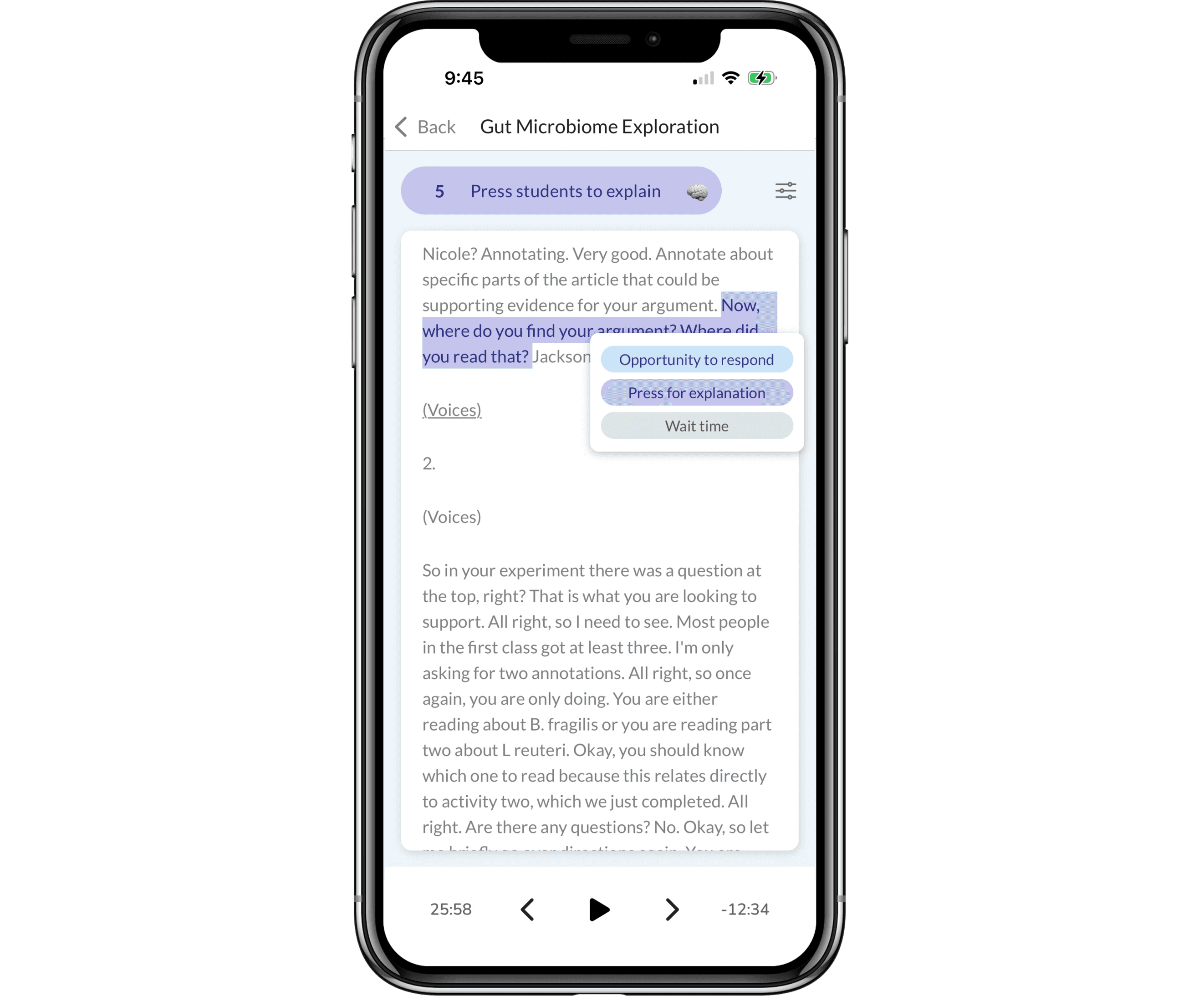
Our Lesson reports highlight the top moments from your recording, showcasing up to three moments that best represent the teaching practice you’re focused on.
But if you want to dive in deeper, review your wording, listen back to the entire lesson, or see more than those top moments, click the Transcript button at the bottom of your report.
To hear the audio, you can press the play button, or click any word in the Transcript.
You’ll also see all the instances we detected of every teaching practice. You can use the forward (>) and backward (<) buttons at the bottom to move between each instance, and you can switch between all seven of our teaching practices by clicking the button on the top (on the side on the web.)
You can also learn more about each highlighted instance by pressing and holding it (on the web, hovering over it with your mouse.) Pressing on the example shown in this image, for example, shows that it was an Opportunity to respond, and an example of Press for explanation and Wait time.
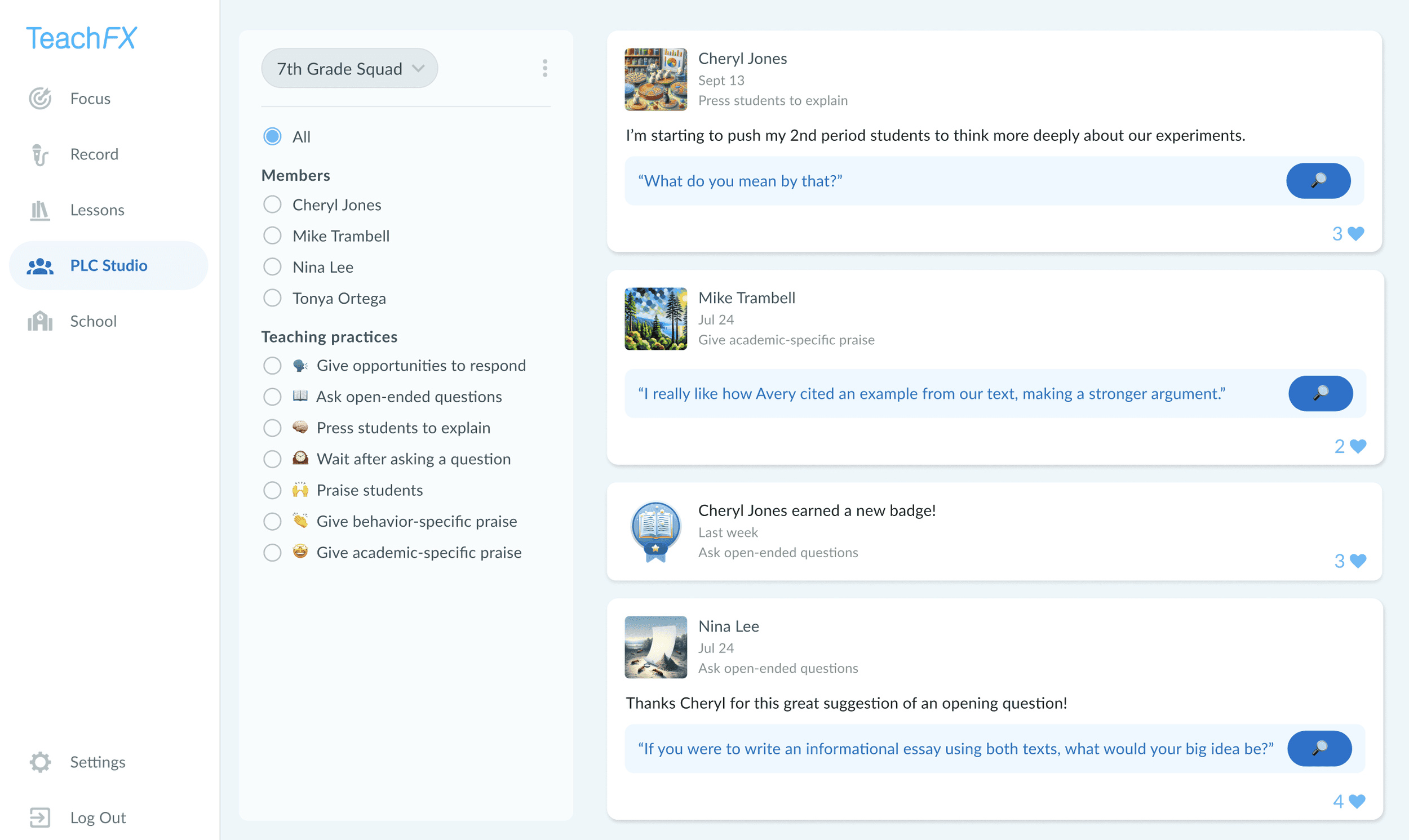
2. The PLC Studio – because the best growth happens as a team
We heard from many teachers that "Professional Learning Communities aren't what we hope them to be." Teachers want more personal and relevant content to guide their PLC discussions.
That’s why we built TeachFX’s new PLC Studio tab. Anyone can create a new group – this could be your actual PLC, or your grade level colleagues, or maybe just you and a fellow teacher or coach. Once you’ve created and named your group, you can share classroom moments from your TeachFX lesson reports, making learning visible and collaborative, and hopefully sparking great conversations at your next PLC meeting.
3. Praise – a set of high-impact teaching practices
Lastly, we added three new teaching practices, each with their own badge:
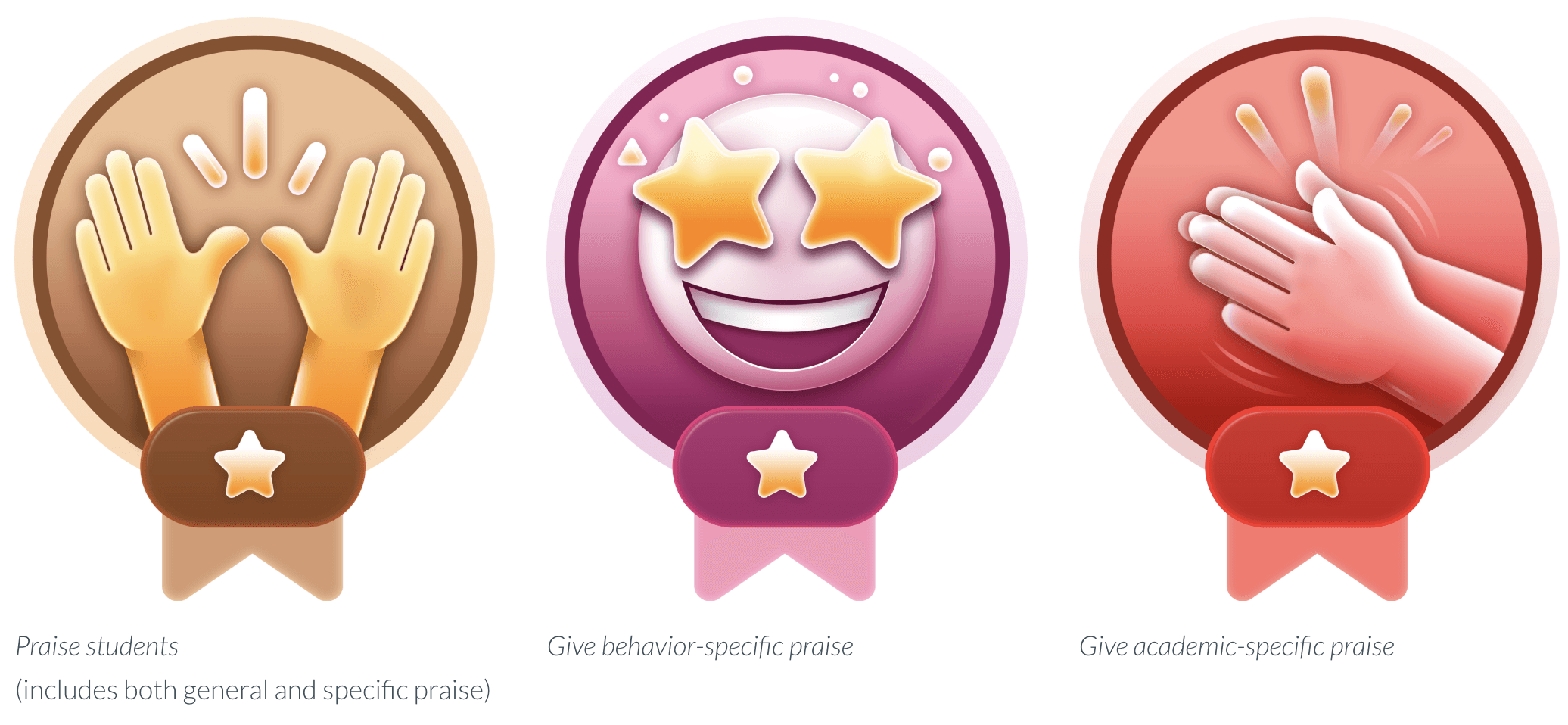
These highly effective, research-backed teaching practices create a positive classroom culture and encourage students to repeat expected behaviors and participate more fully. Choose one of these Praise practices as your next focus to earn a new badge!
We always love to hear your feedback and constructive criticism. Don’t hesitate to share your ideas and thank you for all you do to inspire students!

Jacob Klein